


|
Name |
JCID Doctor |
|---|---|
|
Category |
Tools |
|
Developer |
Shenzhen Jingcheng Innovation Technology Co.,Ltd. |
| Last version | 1.0.3 |
|
Updated |
|
|
Compatible with |
Android 7.0+ |
Introduction to JCID Doctor APK
JCID Doctor APK is a mobile diagnostic utility app built for Android that focuses on smartphone hardware testing and component analysis. It’s mainly used in repair and refurbishment workflows, especially for checking iPhone and iPad parts through the JCID tool ecosystem. Instead of giving surface-level status results, it reads detailed device data and turns it into structured reports technicians can actually use.
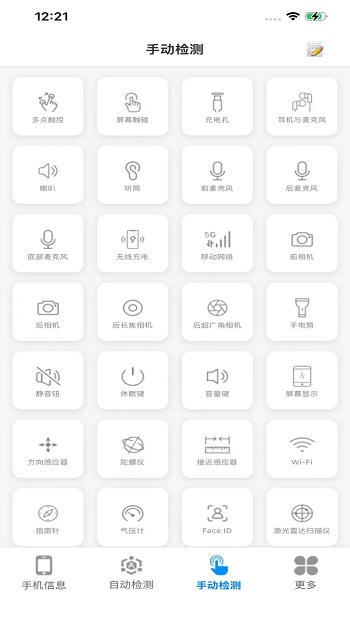
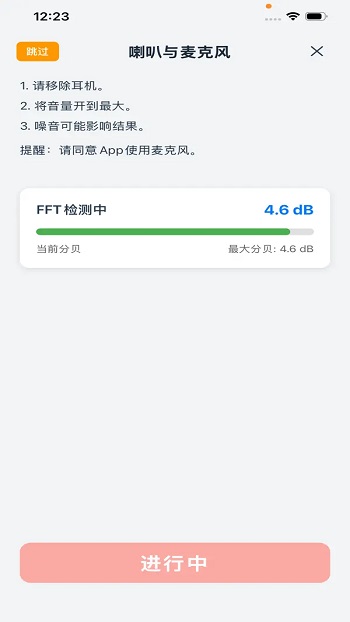
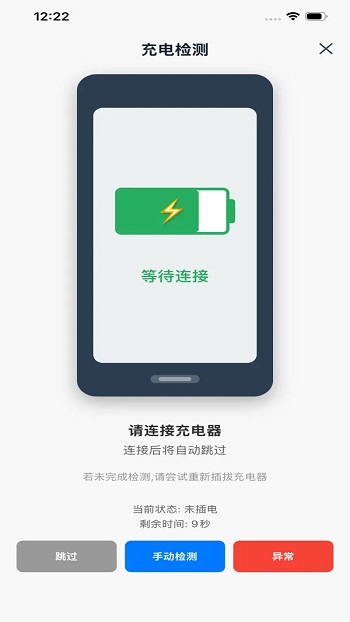
The main purpose of the app is hardware diagnostics and verification. It runs tests on key components like batteries, screens, sensors, cameras, audio parts, and touch systems. Users can check cycle counts, voltage behavior, sensor responses, and module status in one place. This saves time compared to manual testing and hidden system menus, and it helps spot faults before they become expensive surprises.
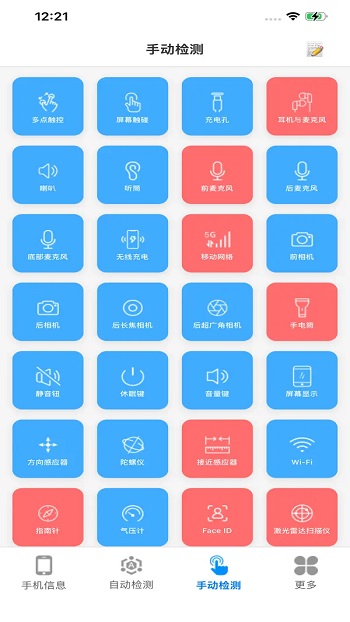
JCID Doctor APK includes several testing modes to match different needs. There are quick scans for fast checks, full diagnostic runs for deeper inspection, and custom tests when only certain parts need review. Results are shown in a clean dashboard with readable metrics and pass/fail indicators. Real-time monitoring is also available during certain tests, which helps catch unstable behavior like battery drops or sensor glitches while they happen.
A strong advantage is component verification. The app can help identify mismatched or replaced parts, which matters a lot in iOS repairs and resale checks. Repair shops and refurbishers use this data to confirm part authenticity and post-repair status. For buyers of used phones, these reports make it easier to judge device condition without opening the hardware.
There are also a few limits to keep in mind. Some advanced functions work best when paired with compatible JCID hardware tools, so casual users may not access every feature. The data shown can be very technical, which means beginners might need a bit of learning time to read results correctly. It’s a precision tool, not a one-tap “fix my phone” app.
This app fits repair technicians, refurbishing businesses, quality control teams, and tech-savvy users who want deep hardware insight. It’s especially useful during device intake checks, after part replacements, and when validating second-hand phones. If your daily work involves phone components and diagnostics, this tool feels like a lab assistant that lives in your pocket.
FAQs JCID Doctor
What is JCID Doctor APK used for?
+
It is used for smartphone hardware diagnostics, component verification, and detailed device health testing, mainly in repair and refurbishment work.
Which devices can JCID Doctor APK test?
+
It runs on Android devices and is commonly used to analyze Android phones directly and iPhone or iPad components when paired with JCID hardware tools.
Does JCID Doctor APK require extra hardware tools?
+
Basic diagnostic tests can run without extra tools, but deeper repair and component programming features work best with supported JCID hardware.
Can JCID Doctor APK check battery health details?
+
Yes, it can show advanced battery data such as cycle count, capacity values, voltage behavior, and temperature readings for more accurate evaluation.
Who should use JCID Doctor APK the most?
+
Phone repair technicians, refurbishers, device resellers, and advanced users who need detailed hardware reports benefit the most from it.
Discover More Interesting Apps
-
 Mod
Mod
Multiple Accounts
vv5.5.0
209.47 MB
Updated -
Theick.io
v0.4.8
29 MB
Updated -
Mod
Remote Mouse Pro
v5.306
63 MB
Updated -
Mod
TLS Tunnel
v7.2.6
27.95 Mb
Updated -
Ace Stream
v3.2.19.5
107.59 Mb
Updated -
90 FPS
v11.4
16.02 Mb
Updated -
Mod
Medix
v1.4.0
69.80 Mb
Updated -
Mod
Multi App
v2.7.0
37.47 Mb
Updated -
Sophon
v1.0.54.1
65.80 Mb
Updated -
Mod
SWAP - No ROOT
vv4.8.8
8.41 Mb
Updated










Share Your Thoughts